TECHNICAL DRAFTING NC II - 148 HRS.
Course Description:
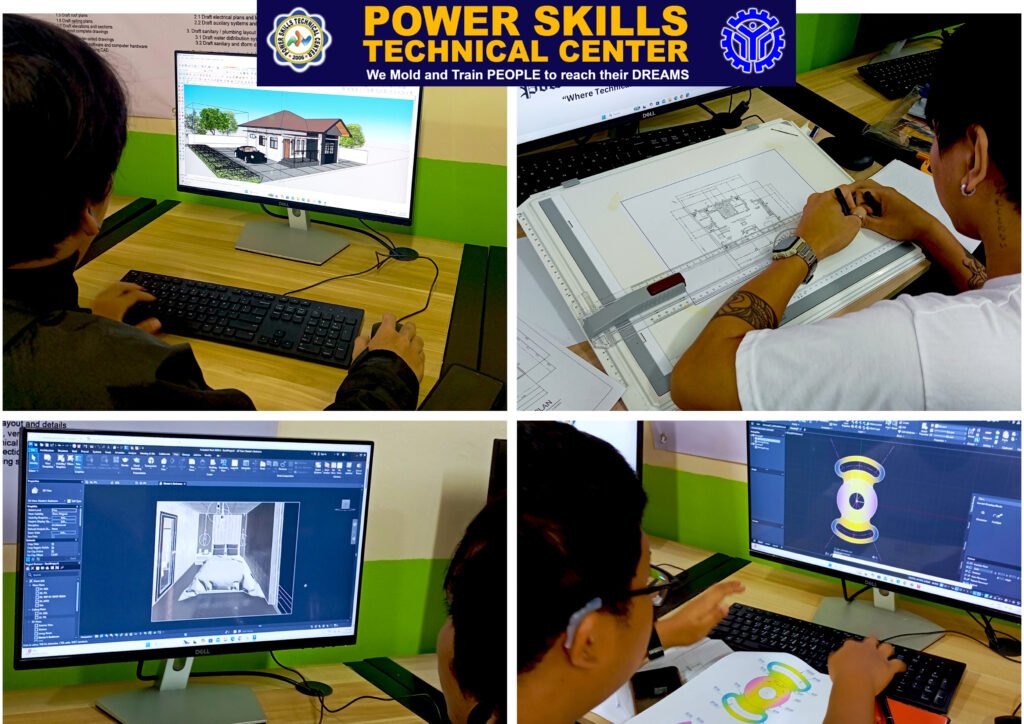
In this course, students will acquire the skills and knowledge to produce accurate and detailed technical drawings through both manual drafting and computer-aided design (CAD) techniques. The Technical Drafting NCII program focuses on 2D and 3D drafting, preparing participants for roles in architecture, engineering, and design industries.
Students will start by learning drafting fundamentals, including orthographic and isometric projections, manual drafting tools, and drawing standards. The course then transitions to advanced CAD applications, with a strong emphasis on AutoCAD software, covering essential commands, dimensioning, layering, and plotting techniques. Practical exercises and real-world simulations will help learners gain confidence in producing professional-quality technical drawings.
Technical Drafting NC II Track
Module 1 - AutoCAD 2D Drafting with Manual Drafting
Drafting Fundamentals
- Introduction to technical drafting and types of drawings.
- Overview of manual drafting tools and equipment.
- Application of drawing standards for professional drafting.
Isometric and Orthographic Projections
- Principles of orthographic projection.
- Basics of isometric drawing.
- Manual drafting of architectural drawings and details.
Computer-Aided Drafting (2D AutoCAD)
- Navigating the AutoCAD interface and workspace.
- Setting up drawing units and exploring keyboard functions.
- Using essential AutoCAD commands:
- Drawing commands: Lines, rectangles, circles, polygons, arcs, ellipses, and donuts.
- Coordinate methods: Absolute, relative, and polar coordinates.
- Editing/modifying commands: Copy, mirror, offset, array, move, rotate, scale, trim, chamfer, and fillet.
Object Visibility and Organization
- Managing object properties and visibility.
- Creating and managing layers: Setting colors, line types, and properties.
- Controlling layer visibility and organization.
Dimensioning and Annotation
- Using dimensioning tools and managing dimension styles.
- Creating text styles with MTEXT and DTEXT.
Advanced 2D Techniques
- Hatching and applying gradients.
- Defining and editing blocks for efficient object management.
- Creating isometric drawings.
Finalizing and Printing
- Preparing drawings for plotting and printing with accurate layouts.
Module 2 - 3D MODELING
- AUTOCAD 3D
- REVIT ARCHITECTURE
- SKETCHUP
A Person who has Achieved this Qualification is Competent to be:
- Draftsman
- CAD Operator
* Mandatory assessment is required to all students who enrolled to any WTR-registered programs given by the Technical Education and Skills Development Authority (TESDA).